
01 / Typography · Shared reference
A familiar starting point.
The type hierarchy from the WSDMM configuration wizard, brought into the shared design system. Same roles, sizes and weights. Shared light and dark theme surfaces.
Verified type roles Checking font availability…
Live typography
Responsive exampleNetwork
Configure network settings
Basic Settings
Hostname
WSDMM-Station1
Long-label check
Wayside monitoring configuration for the Southern Division
Supporting text stays readable when it wraps onto another line. This example checks typography only; field styling comes next.
Text roles only. See Fields, Actions and Cards & dialogs for the accepted component references.
Original wizard
Open full capture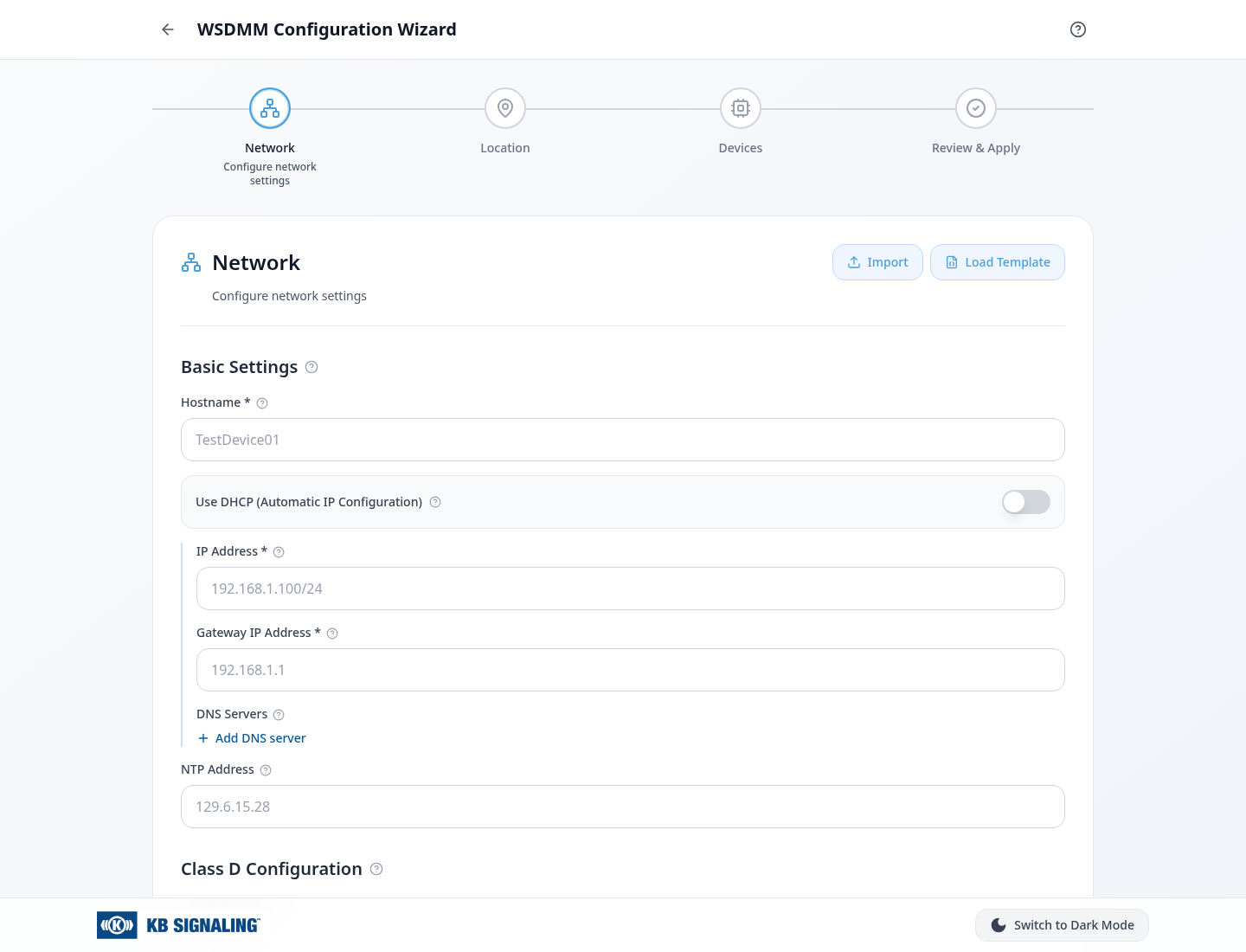
The baseline
Six roles. One hierarchy.
Mobile values below 640px; desktop values at 1024px and above. Sizes / line heights are in pixels.
| Role | Desktop | Mobile | Weight |
|---|---|---|---|
| Page title | 20 / 28 | 16 / 24 | 700 |
| Step title | 24 / 32 | 18 / 28 | 600 |
| Section title | 20 / 30 | 20 / 30 | 600 |
| Supporting text | 14 / 20 | 12 / 16 | 400 |
| Field label | 14 / 20 | 14 / 20 | 500 |
| Field value | 16 / 24 | 16 / 24 | 400 |
At 640–1023px, the step title is 20 / 28. The page title and supporting text already use their desktop values.